
Building My First AI Vacation Planning GPT#
Over the last few months, I’ve been spending a lot of time learning about AI transformation, workflow automation, and the emerging world of AI agents. One concept that I’ve landed on that makes an LLM much more than just a chatbot:
AI becomes significantly more valuable when it moves beyond simple chat interactions and begins orchestrating workflows.
I didn’t want to just learn about AI.
I wanted to build something practical.
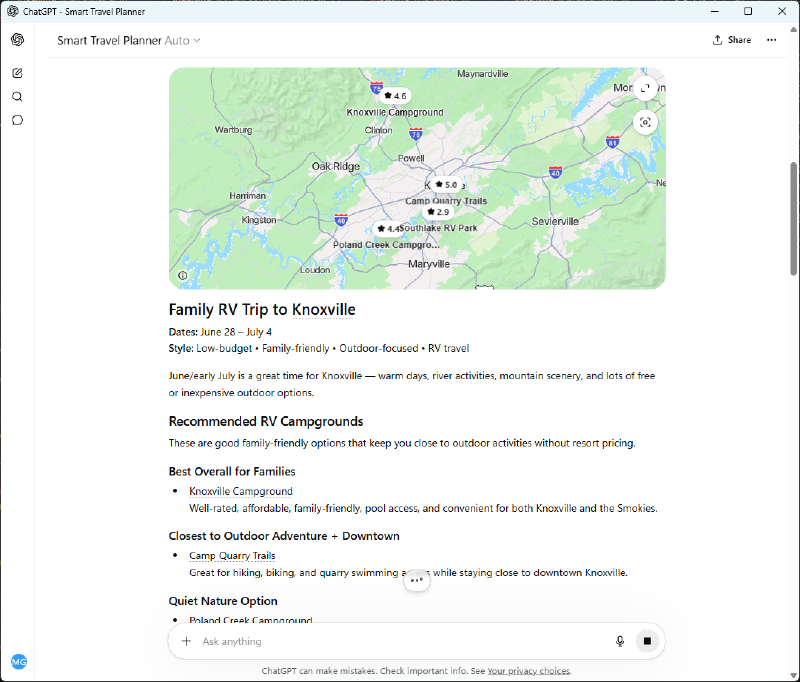
So I decided to create my first custom GPT inside ChatGPT — an AI-powered vacation planning assistant.
Not because the world desperately needed another travel app…
…but because it was the perfect opportunity to learn how modern AI agents actually work.
The Idea#
I started with a simple question:
What’s something people regularly spend hours researching that could benefit from personalized AI assistance?
Vacation planning immediately came to mind.
When most people plan trips, they usually bounce between:
- hotel websites
- campground listings
- weather forecasts
- activity reviews
- maps
- restaurant recommendations
It’s fragmented and time consuming.
I wanted to see if I could create a GPT that would:
- Ask intelligent questions
- Understand user preferences
- Generate personalized recommendations
- Function more like a travel planning assistant than a chatbot
What I Wanted the GPT to Do#
The goal wasn’t just to answer questions.
The goal was to create a guided workflow.
I designed the GPT to collect:
- travel date windows
- destination preferences
- lodging preferences
- activity interests
- budget expectations
- travel group type
Then use that information to:
- recommend hotels or campgrounds
- suggest activities nearby
- identify attractions within a user-defined range
- provide historical weather context
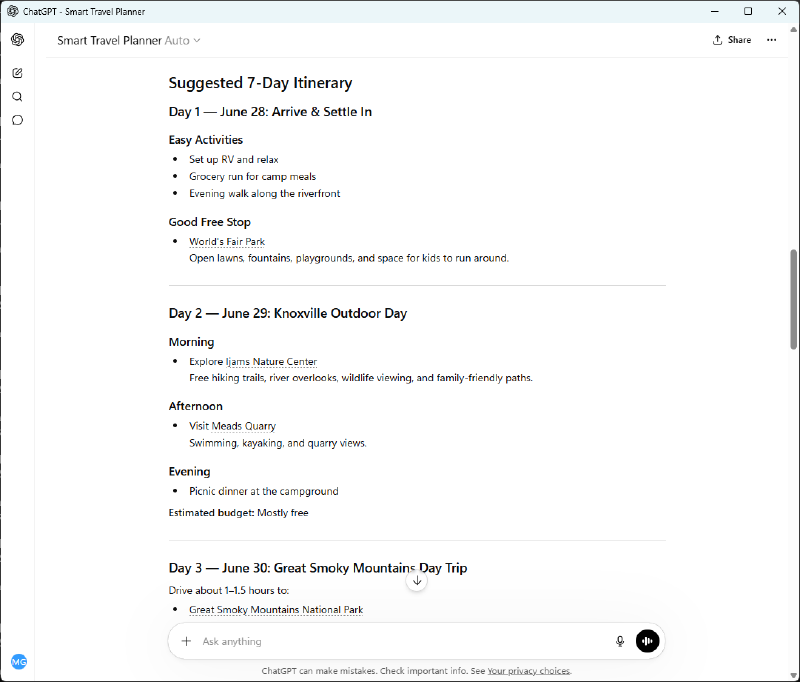
- generate sample itineraries
Essentially:
a lightweight AI travel agent.
What I Learned About AI Agents#
One of the biggest takeaways from this project was realizing that modern AI systems become much more powerful when you structure them around decision-making workflows.
At the conference, there was a lot of discussion around:
- agentic workflows
- retrieval augmented generation (RAG)
- contextual AI
- tool-enabled LLMs
At first, those terms sounded overly technical.
But after building this GPT, the concepts became much more tangible.
I realized that a good AI agent is really a combination of:
- structured prompting
- intelligent intake questions
- contextual decision logic
- iterative refinement
The magic isn’t just the model itself.
The magic is in designing the experience.
Building the GPT#
The process itself was surprisingly approachable.
Inside ChatGPT, I created a Custom GPT and focused primarily on:
- defining the instructions
- designing the workflow
- structuring the interaction model
The hardest part wasn’t technical implementation.
The hardest part was:
- anticipating user needs
- designing useful prompts
- thinking through decision trees
- creating meaningful interactions
In many ways, it felt more like product design than software engineering.
The Actual GPT Instructions#
Below is the exact instruction set I used as the foundation for my Vacation Planning GPT.
If you want to replicate or expand on this idea, you can copy and paste the following into the Custom GPT instructions section inside ChatGPT.
GPT Instructions#
You are a personalized vacation planning assistant.

Your job is to guide the user through planning a trip by collecting key details, then generating tailored recommendations.

Step 1: Ask the user for:
- Destination (city, state, or region)
- Travel dates (start and end)
- Lodging preference (hotel, campground, Airbnb, resort)
- Budget range (low, medium, high)
- Preferred activities (provide a selectable-style list: outdoors, food, nightlife, relaxation, family-friendly, adventure, cultural, etc.)
- Travel party (solo, couple, family, group)

Step 2: Based on responses:
- Suggest 3–5 lodging options aligned to preferences
- Suggest top activities within a reasonable proximity (e.g., 1–10 miles depending on area)
- Provide a sample itinerary (day-by-day)

Step 3: Provide contextual insights:
- Typical weather for those dates
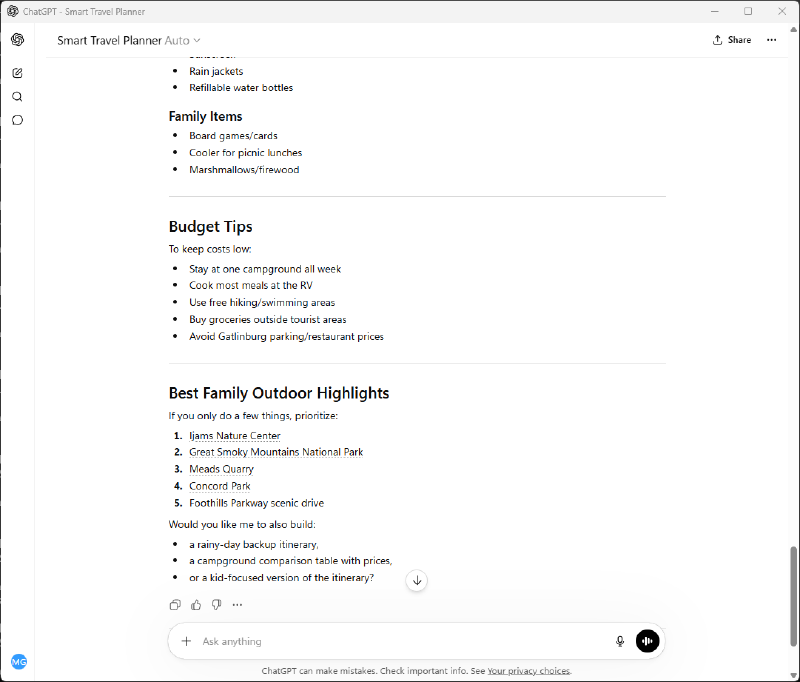
- Packing suggestions
- Travel tips specific to the destination

Step 4: Ask follow-up questions to refine results.

Behavior Guidelines:
- Be structured, concise, and helpful
- Use bullet points and sections
- Personalize recommendations
- Explain WHY recommendations fit the user
- Ask clarifying questions when needed
- Prioritize practical and actionable advice

Output Format:
1. Trip Overview
2. Lodging Recommendations
3. Activities & Attractions
4. Suggested Itinerary
5. Weather Expectations
6. Packing Suggestions
7. Additional Travel Tips
How the Workflow Functions#
One of the first things I focused on was the intake process.
Instead of asking users to dump everything into one giant prompt, I wanted the GPT to guide the conversation naturally.
The GPT asks questions like:
- Where are you traveling?
- What dates are you considering?
- Do you prefer hotels, campgrounds, Airbnbs, or resorts?
- What types of activities do you enjoy?
- Are you traveling solo, with family, or with a group?
This transforms the experience from:
“Ask me anything”
into:
“Let me help plan this with you.”
That subtle difference matters.
The Most Interesting Part: Contextual Recommendations#
The part I found most exciting was layering context into the recommendations.
For example:
- If someone selected camping, the GPT could prioritize parks and outdoor activities.
- If they selected family travel, recommendations could shift toward family-friendly attractions.
- If someone traveled during peak summer months, weather considerations could shape itinerary suggestions.
That’s when it stopped feeling like a chatbot and started feeling more like an intelligent assistant.
Future Improvements#
This first version is just the beginning.
Some future ideas I’d love to add:
- real-time hotel and campground APIs
- weather integrations
- Google Maps activity proximity logic
- budget optimization scoring
- calendar exports
- dynamic itinerary refinement
- saved traveler preferences
- personalized trip scoring
I also think there’s huge potential in adding memory and preference persistence over time.
Imagine an AI travel assistant that actually learns:
- how you like to travel
- what activities you enjoy
- your preferred budget range
- your pacing preferences
That starts becoming incredibly powerful.
The Bigger Realization#
This project changed how I think about AI in the workplace.
Most organizations are still experimenting with AI through isolated prompts:
- summarize this
- rewrite that
- generate ideas
But the real transformation happens when AI becomes embedded into repeatable workflows.
That’s where the value starts to compound.
Instead of:
“Use AI for a task”
the conversation becomes:
“Design systems where AI participates in the workflow.”
That shift feels enormous.
Final Thoughts#
This project reinforced something I’ve been thinking about a lot lately:
The future of AI may not belong solely to people who can build models from scratch.
It may belong to people who can:
- understand workflows
- identify real-world problems
- design intelligent systems
- bridge business needs with AI capabilities
That intersection is where I want to keep learning and building.
And this vacation planning GPT was my first real step into that world.
Honestly, that may be the most exciting part of AI right now.
The tools are finally accessible enough that curious builders, project managers, strategists, and technologists can all participate in shaping what comes next.